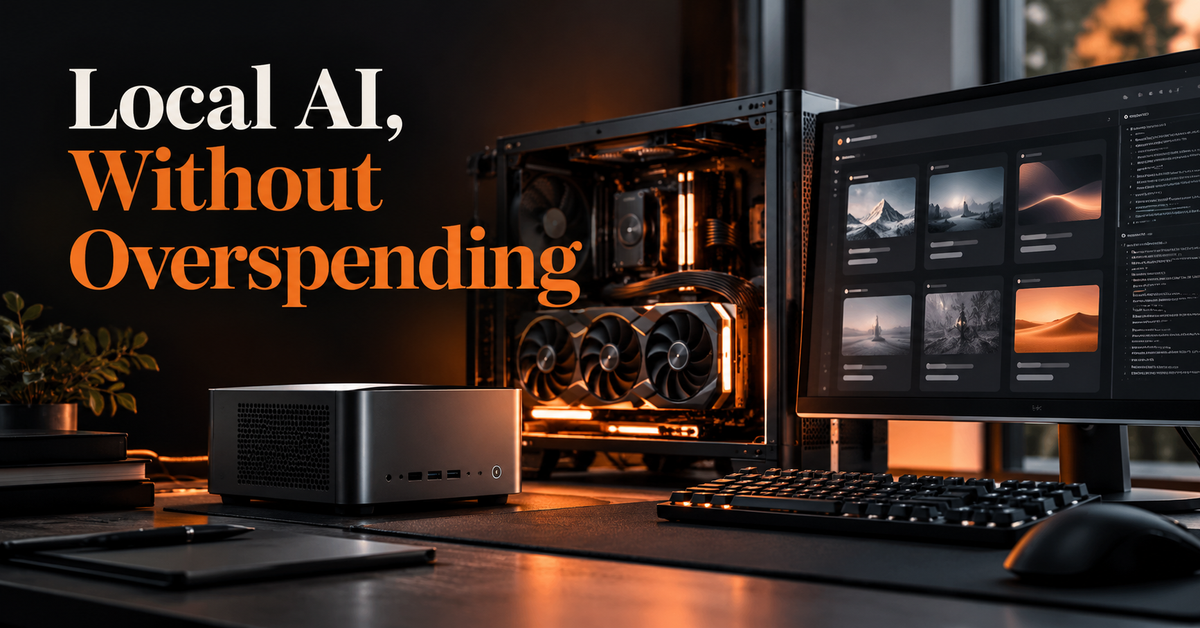
Local AI can be good value without buying a flagship GPU. The practical choice is to match the workload to the memory you can afford, then choose a model that fits with room for its context window and runtime. For many people, a modest existing computer plus a small quantized model is the best starting point; for regular coding or image generation, a desktop GPU with 16–24 GB of VRAM is a more flexible investment; and for always-on assistants, reliability, storage and orchestration matter as much as raw model size.
This is a decision guide, not a lab benchmark. Hardware prices and model releases change quickly, so treat price examples from third-party guides as snapshots, verify current local prices, and use model cards and hardware-fit tools before buying.
Quick verdict#
| Use case | Value-first hardware direction | Starting model choice | Why |
|---|---|---|---|
| Normal general user | Use your current computer first; upgrade only after testing | Qwen3 8B or a similarly sized instruction model; consider Gemma 4 12B if memory allows | Everyday writing, summaries, Q&A and private experimentation do not automatically need a large GPU |
| Engineer / developer | Desktop GPU with 16 GB VRAM as a balanced target; 24 GB if larger models are a priority | Qwen coder/instruct family or Gemma 4 12B; validate the exact coding variant and tool support | Coding needs strong instruction following, enough context, and reliable tool calling—not just a large parameter count |
| Designer / video editor | Prioritize 16–24 GB VRAM for image pipelines; 24 GB or more for heavier local generation | Gemma 4 for image understanding; a dedicated image/video model for generation | A text LLM does not replace a diffusion or video-generation model |
| Automation and assistance | Existing mini PC or low-power desktop for orchestration; add GPU only if local inference justifies it | Qwen3 8B/14B or Gemma 4 12B, chosen after testing tool calls and structured output | Agent reliability depends on workflow design, persistent state, permissions and recovery as well as model quality |
These are starting points, not universal winners. Exact model variants, quantization, context length, operating system, runtime and workload can change whether a model fits or performs well.
The rule that saves the most money: buy for memory, not hype#
For local language models, GPU VRAM (video memory) often determines which model sizes can run comfortably. The model weights are only part of the requirement: the runtime, context cache, image inputs and other applications also consume memory. Quantization reduces weight memory by using lower-precision representations, but it can affect output quality and does not eliminate all overhead.
That means an expensive GPU with too little VRAM for your target model may be a worse purchase than a slower card with more memory. It also means you should not shop by parameter count alone. Mixture-of-experts models can activate only part of their parameters per token, but the full model weights still need to be stored or offloaded.
Before buying, check the exact model and quantization in LLM Configurator, then compare hardware fit and current model options against the model's own card. LLM Configurator labels estimates and separates some third-party measurements from its own estimates; use those labels rather than treating every throughput number as a benchmark.
Four buying profiles#
1. Normal general user#
Best value pick: start with the computer you already own and run a compact quantized model. If you use local AI frequently and your machine cannot keep a useful model in memory, consider a modest GPU with 12–16 GB VRAM or a unified-memory machine sized for the model you want.
Model to try: Qwen3 8B is a reasonable baseline for general chat, summarization, drafting and everyday Q&A. If your machine has enough memory and you need multimodal understanding, evaluate Gemma 4 12B. Both are model families with multiple variants; check the exact release and license before adoption.
Pros
- Lowest upfront cost because there may be no hardware purchase.
- Good for learning local inference, handling private drafts and offline experimentation.
- Compact models are easier to fit and faster to iterate on than very large models.
Cons
- Small models can be less reliable on complex reasoning, long documents and nuanced instructions.
- Local generation can be slower than a hosted service on weaker hardware.
- A local model does not automatically provide current web knowledge, reliable factuality or cloud-service convenience.
Spend rule: do not buy a GPU just to occasionally summarize text. First try the hardware you have, use a representative set of prompts, and note whether the bottleneck is quality, speed, memory or convenience.
2. Engineer / developer#
Best value pick: a desktop with a 16 GB VRAM GPU is a useful middle ground for local coding assistants, repository Q&A, test generation and experimentation. Move toward 24 GB if you want more headroom for larger quantized models, longer contexts or multiple services. Keep enough system RAM and SSD space for the operating system, IDE, containers and model files.
Model to try: compare a current Qwen coding or instruction-tuned variant with Gemma 4 12B. For code agents, test the exact model's repository-level reasoning, tool calls, patch quality and ability to follow your project conventions. A general chat leaderboard is not a substitute for evaluating your actual coding tasks.
Pros
- Local inference can keep proprietary code and prompts on your machine, depending on your setup and telemetry configuration.
- Predictable access without relying on a per-token hosted API quota.
- Useful for experimenting with agent frameworks, retrieval, local tools and model serving.
Cons
- A local model may underperform leading hosted models on difficult multi-file changes.
- VRAM pressure grows with context length and concurrent sessions.
- Setup and debugging take engineering time; GPU compatibility differs by software stack.
- You remain responsible for reviewing generated code, tests, licenses and security-sensitive changes.
Spend rule: prioritize memory capacity and a mature runtime ecosystem over small differences in peak compute. If you code professionally but only need occasional high-end reasoning, a hybrid setup—local model for routine work and a hosted model for hard tasks—may cost less than buying hardware to run the largest model locally.
3. Designer / video editor#
Best value pick: choose the workload before the machine. For image generation, a desktop GPU with 16–24 GB VRAM is a practical direction to investigate. For heavier video-generation pipelines, large batches or high-resolution workflows, memory and total system capacity become more important; validate each pipeline's documented requirements before spending.
Model to try: use a multimodal LLM such as Gemma 4 for describing, classifying or reasoning about images where the chosen variant supports image input. For creating images or video, choose a dedicated generation model and its supported runtime; an LLM alone is not an image or video generator.
Pros
- Local workflows can support iterative concept exploration without sending every asset to a hosted service.
- A capable GPU may serve multiple creative tools, including image generation and some video pipelines.
- Local processing can be attractive when source assets or client work should remain on a controlled machine.
Cons
- Creative generation has its own VRAM, driver, dependency and model-format constraints.
- High-resolution outputs, temporal consistency and long video clips can require substantially more compute than text chat.
- A GPU purchase will not make every model or node workflow compatible.
- Checkpoints, LoRAs, caches and source media can consume substantial SSD capacity.
Spend rule: list the exact applications and generation models you intend to use, then verify their VRAM and software requirements. Do not use an LLM benchmark to choose a GPU for diffusion or video generation.
4. Automation and assistance#
Best value pick: separate the always-on controller from the model. A mini PC or existing low-power desktop can run scheduling, integrations, a workflow engine, a database and persistent state. Call a local model when the task benefits from local inference, or use a hosted endpoint for tasks that need stronger reasoning. Add a dedicated GPU only after measuring the real workload.
Model to try: start by evaluating Qwen3 8B or 14B, or Gemma 4 12B if it fits. Test structured JSON output, tool selection, recovery after a failed action, and behavior when a tool returns incomplete or adversarial data. Model suitability for agents is not established by fluent conversation alone.
Pros
- A persistent host can keep schedules, queues, logs, memory stores and integrations available between model sessions.
- A smaller model may be sufficient for routing, extraction, classification and other bounded tasks.
- A local deployment can reduce dependence on a hosted model for routine operations.
Cons
- A mini PC with limited graphics memory may not run larger models quickly, even if it can orchestrate agents perfectly well.
- Model context is not the same thing as persistent memory. Durable state belongs in files or databases and must be retrieved deliberately.
- Agents need authentication, least-privilege tool permissions, retries, idempotency, observability and human approval for consequential actions.
- Twenty-four-hour operation adds requirements for backups, updates, cooling, power and recovery.
Spend rule: buy the always-on host for reliability, storage and connectivity first. Treat inference as a separate decision. A local model that is cheaper per request may still be a poor value if it causes frequent retries or incorrect tool actions.
Hardware options: pros, cons and who should consider them#
Existing laptop or desktop#
Best for: general users, first-time local AI users, and anyone who only runs models occasionally.
- Pros: no new purchase, familiar environment, low setup cost.
- Cons: limited memory and cooling can restrict model size and sustained speed.
- Choose it when: a compact model meets your actual quality and latency needs.
Mini PC#
Best for: always-on workflow orchestration, lightweight inference, home-lab services and private automation.
- Pros: compact, often power-efficient, easy to leave running, can host databases and automation services.
- Cons: many models rely on integrated graphics or limited unified memory; upgrades may be restricted; sustained inference may be slower than a discrete GPU.
- Choose it when: uptime and service hosting matter more than running a large model at high speed.
Desktop with 12–16 GB VRAM#
Best for: balanced local inference, coding assistance, experimentation and moderate image generation.
- Pros: a sensible entry point into GPU acceleration; usually more upgradeable than a mini PC; can run a useful range of quantized models.
- Cons: VRAM constrains larger models and context; software compatibility varies by vendor.
- Choose it when: you want regular local inference without committing to a high-end workstation.
Desktop with 24 GB VRAM or more#
Best for: larger quantized LLMs, heavier creative pipelines, and more headroom for experimentation.
- Pros: more room for model weights, context and larger creative workflows.
- Cons: higher purchase cost, power draw, cooling needs and physical size; used cards add condition and warranty risk.
- Choose it when: you have a known workload that benefits from the extra memory, not just a vague plan to “run bigger AI.”
Multi-GPU workstation or server#
Best for: sustained serving, larger models, concurrent users and research workloads with clear capacity requirements.
- Pros: more aggregate memory and compute, with room for specialised infrastructure.
- Cons: platform, PCIe lane, power, cooling, noise and software complexity; two GPUs do not always behave like one pool of VRAM.
- Choose it when: you have measured throughput or capacity needs. It is rarely the value-first starting point for one user.
Choosing a model without falling for a leaderboard#
Use three resources for different questions:
- Hugging Face Models is a broad discovery catalogue. Inspect the model card, supported tasks, files, license and usage guidance rather than assuming every listed model is interchangeable.
- Artificial Analysis — open models helps compare model quality, speed, context and openness. Its own methodology distinguishes open weights from the broader idea of open source, and benchmark results are tied to specific evaluations.
- Baseten's open-model comparison provides a production-oriented perspective on coding, long-context reasoning and cost. Treat provider-run results as the publisher's reported evidence, not a universal ranking for your hardware.
Then use Ollama's model library or another compatible runtime catalogue to check practical availability. Do not assume the same family name means identical capabilities: parameter size, quantization, instruct tuning, context, vision support, tool calling and license can differ between variants.
A useful selection sequence is:
- Define the task and a small set of representative inputs.
- Pick two or three models that fit your memory budget.
- Test output quality, latency, context handling and tool behavior on your own workload.
- Review the model license and whether it permits your intended commercial use.
- Recheck hardware and model compatibility before buying.
What about the tools and guides in this roundup?#
The supplied resources serve different purposes, so they should not be treated as competing products in a single ranking.
| Resource | Useful for | Limitation to keep in mind |
|---|---|---|
| [Will It Run AI: local builds](https://willitrunai.com/blog/best-local-ai-builds-2026) | Thinking in complete PC configurations rather than GPU-only shopping | Build advice and prices are snapshots; verify component availability and compatibility |
| [Compute Market: budget AI GPUs](https://www.compute-market.com/blog/best-budget-gpu-for-ai-2026) | Comparing entry, midrange and used-GPU options | Its listed prices and performance figures are publisher-reported and may vary by market, driver and runtime |
| [LLM Configurator](https://llmconfigurator.com/en/build) | Checking model fit, memory needs and estimated performance for a hardware choice | Separate estimated values from measured results; estimates are not guarantees |
| [Medium: mini PC for AI agents](https://medium.com/@ayeshha2398/the-best-mini-pc-for-ai-agents-in-2026-after-mine-forgot-my-entire-business-model-53d92f8a658c) | Thinking about an always-on host and the distinction between reasoning, active memory and durable storage | It is an individual author's account and includes affiliate disclosure; treat personal conclusions as perspective, not independent benchmarking |
| [Kingy AI: local AI hardware guide](https://kingy.ai/blog/local-ai-hardware-guide/) | Additional context on local AI hardware decisions | Confirm specific claims against component and model documentation |
| [Contabo: open-source LLMs](https://contabo.com/blog/open-source-llms/) | Model discovery and hosted-infrastructure context | “Open source” can be used loosely; check the exact license and deployment terms |
| [Hugging Face Models](https://huggingface.co/models) | Discovering model releases, variants and model cards | A catalogue is not a quality ranking or compatibility guarantee |
| [Artificial Analysis: open models](https://artificialanalysis.ai/models/open-source) | Comparing reported model evaluations and openness | Scores reflect specific methodology and should be combined with task-specific tests |
| [Baseten: open-model comparison](https://www.baseten.co/blog/the-best-open-source-large-language-models-llms/) | Production-oriented model comparison | Provider-reported results do not guarantee the same results on a consumer PC |
| [Qoder](https://qoder.com/) | A managed agentic coding product if you prefer a ready-made developer workflow over self-hosting | It is a software option, not a hardware recommendation or a local model; review current plans, privacy terms and features directly |
The practical distinction: the hardware guides help you size a machine, model directories and leaderboards help you shortlist candidates, and coding/agent products such as Qoder are alternatives to building every part of the stack yourself. None removes the need to match the solution to your actual task.
Final recommendations by use case#
Best value for a normal general user#
Keep your current machine and start with Qwen3 8B quantized. Move to a model such as Gemma 4 12B only if your memory budget allows and its capabilities solve a real need. Upgrade hardware only when a repeatable workload exposes a clear memory or speed bottleneck.
Best value for an engineer or developer#
Target a 16 GB VRAM desktop GPU; consider 24 GB if your budget and coding workload justify it. Start by comparing a current Qwen coding/instruct model and Gemma 4 12B. Keep a hosted model available for tasks where local quality is not enough. Evaluate patch correctness and tool use on your own repository.
Best value for a designer or video editor#
Choose the GPU from your image/video application requirements, with 16–24 GB VRAM as a starting range to investigate. Use a multimodal LLM for image understanding and a dedicated generation model for image or video creation. Verify each model's requirements before buying.
Best value for automation and assistance#
Use a mini PC or existing low-power desktop as the always-on controller, and keep model inference modular. Evaluate Qwen3 8B/14B or Gemma 4 12B for bounded tasks. Store durable memory in a database or files, and build safe permissions, retries, logs and human approval into the workflow.
Before you spend: a five-point checklist#
- Identify the actual workload: chat, coding, image generation, video generation, or agents.
- Check VRAM or unified memory against the exact model quantization and intended context.
- Include system RAM, SSD capacity, power, cooling, noise and electricity in the total cost.
- Verify model license, runtime support and required integrations.
- Compare the local setup with a hosted option using your own usage pattern, not a generic cost claim.
The value-for-money winner is not the most powerful machine or the highest-ranked model. It is the least expensive reliable setup that meets your quality, latency, privacy and workflow requirements—with enough headroom to avoid replacing it immediately.
References#
- Will It Run AI — Best Local AI Builds in 2026
- Compute Market — Best Budget GPU for AI in 2026
- LLM Configurator — Build
- Ayeshha — The Best Mini PC for AI Agents in 2026
- Kingy AI — Local AI Hardware Guide
- Contabo — Open-Source LLMs
- Hugging Face — Models
- Artificial Analysis — Open Models
- Baseten — The Best Open-Source LLMs
- Qoder
- Ollama — Model Library
- Google Developers Blog — Gemma 4 12B

Software Engineer and Researcher, writing about AI, developer tooling and automation.