Use Markdown headings for a readable default and XML-style tags when explicit content boundaries or nested structure help. Combine them when each does a different job—for example, Markdown for top-level instructions and XML tags around a supplied document. There is no universal winner: OpenAI documents both as useful ways to mark logical boundaries, while Anthropic recommends descriptive XML tags for complex prompts. Test the format against your model and task rather than treating syntax as a performance guarantee.
What changes between Markdown and XML tags?#
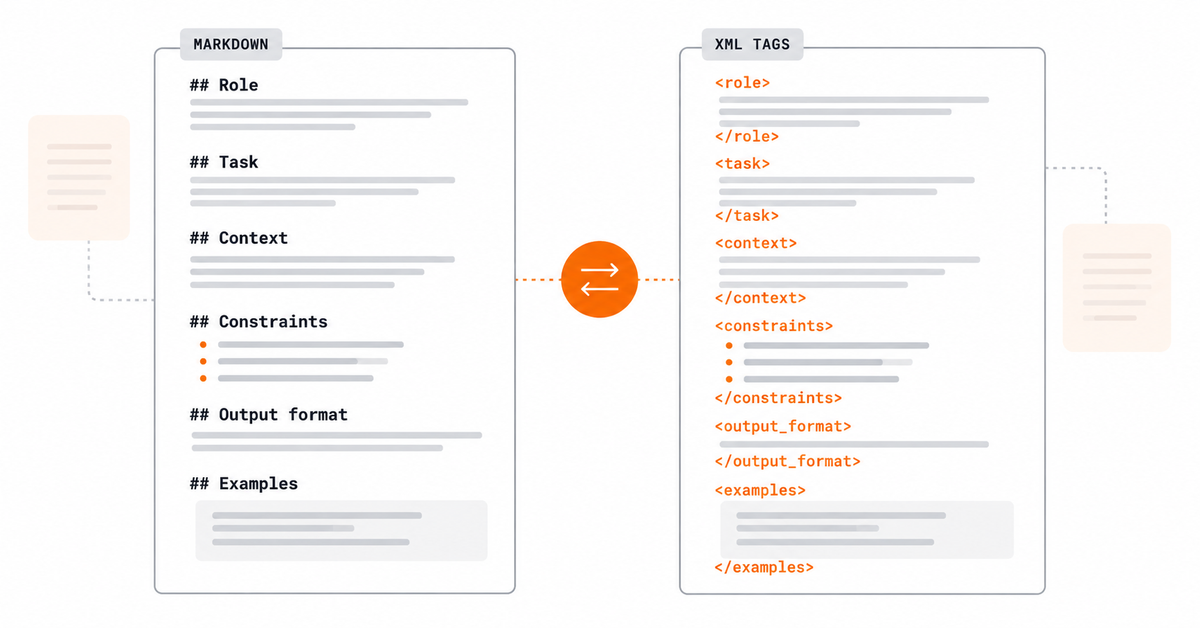
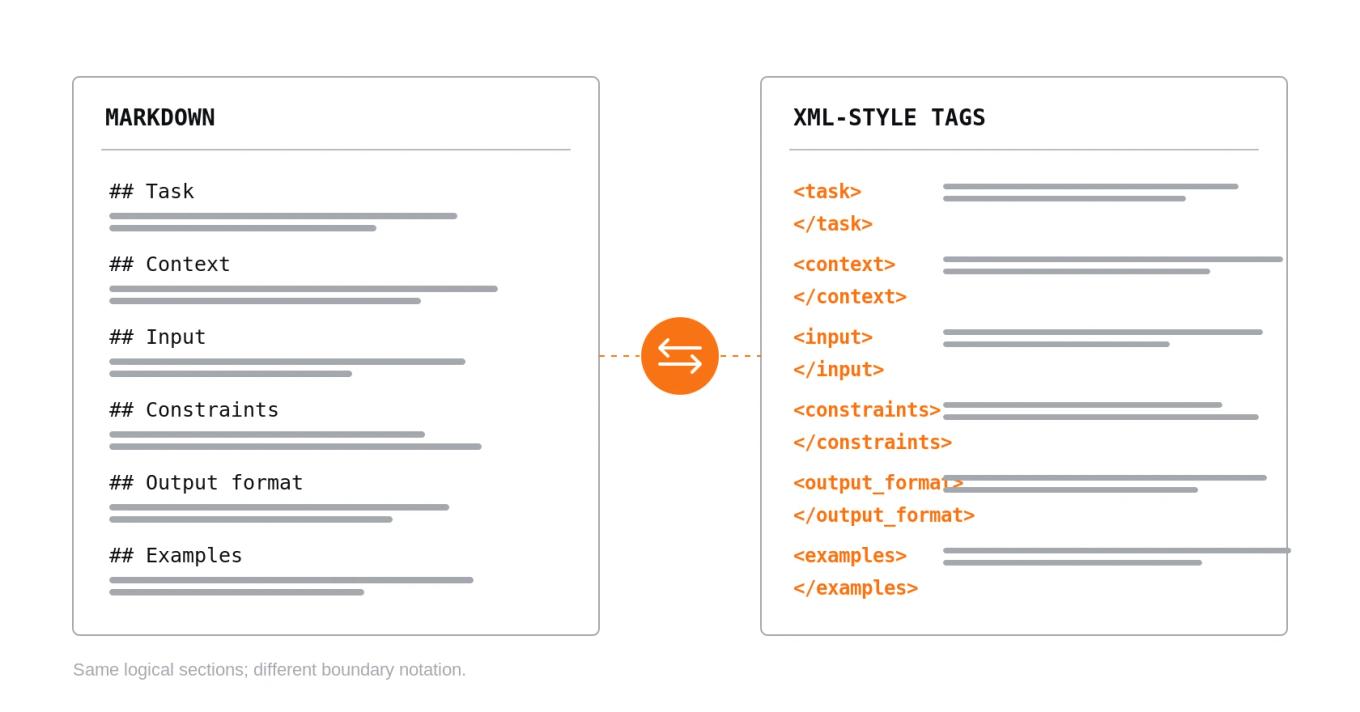
Markdown uses familiar headings, lists, and emphasis to organize instructions. XML-style tags wrap a section in an explicit opening and closing marker. Both can make prompt parts easier to distinguish, but they are not a security boundary and do not replace clear instructions.
Markdown example:
## Task
Summarize the supplied document in three bullets.

## Context
The audience is a software engineering manager.

## Input
[DOCUMENT TEXT]
XML-style example:
<task>
Summarize the supplied document in three bullets.
</task>

<context>
The audience is a software engineering manager.
</context>

<input>
[DOCUMENT TEXT]
</input>
These examples express the same intended organization. The choice is about how you want to express boundaries and maintain the prompt—not about choosing a magic syntax.
When Markdown is the better default#
Choose Markdown when the prompt is primarily a set of instructions that people need to read, review, and maintain.
- Human-readable sections: headings like ## Task and ## Constraints are quick to scan in a code review.
- Lists of requirements: bullets make independent rules easy to inspect and edit.
- Simple prompt templates: a short task with a few sections may not benefit from additional opening and closing tags.
- Documentation and collaboration: Markdown is widely used in repositories, issue trackers, and internal docs.
For example, a classification prompt with a clear task, a few decision rules, and a short output contract may be easiest to maintain as Markdown. Keep the structure proportional to the prompt; do not add headings simply to make a small instruction look more formal.
When XML-style tags are useful#
Use XML-style tags when the prompt contains multiple kinds of content that need explicit start and end boundaries, especially when some sections contain long or nested material.
<instructions>
Summarize the source. Use only facts supported by it.
</instructions>

<source_document>
[UNTRUSTED DOCUMENT CONTENT]
</source_document>

<output_requirements>
Return three bullet points and identify any missing information.
</output_requirements>
This makes it easier to see where the source begins and ends. Anthropic recommends descriptive, consistent tag names and nesting tags when the content has a natural hierarchy. OpenAI's guidance also describes XML tags as a way to delineate supporting documents and context data. The benefits are organizational; tags alone do not neutralize malicious instructions inside a document or guarantee that the model will follow the intended boundaries.
XML-style tags are particularly useful when:
- The prompt includes a long source document or several documents.
- You need to distinguish instructions from quoted or user-provided content.
- A section has a natural hierarchy, such as a collection of documents and each document's metadata.
- You need clear boundaries around examples or variable input.
Use descriptive tag names that explain the content, such as <instructions>, <context>, <source_document>, and <output_requirements>. Consistency matters more than inventing a complicated tag vocabulary.
When to combine Markdown and XML#
You do not have to choose one format for every part of a prompt. A practical hybrid uses Markdown for the top-level outline and XML-style tags for data boundaries:
## Task
Summarize the supplied source in three bullets. Do not add facts that are absent from the source.

## Source
<source_document>
[PASTE SOURCE TEXT HERE]
</source_document>

## Output format
Return exactly three bullets. If the source does not support a requested detail, say so.
The Markdown headings make the overall task easy to scan. The XML tags mark the beginning and end of the source content. Use a hybrid only when it adds clarity; duplicated layers of headings and tags can make a prompt harder to maintain.
A decision guide#
| Prompt situation | Practical starting point | Why |
|---|---|---|
| Short task with a few rules | Markdown | Readable without extra syntax |
| Long source document | XML tags around the source, with Markdown instructions if useful | Makes the source boundary explicit |
| Multiple related documents | Nested XML-style tags plus concise top-level instructions | Represents the hierarchy of inputs |
| Prompt maintained by a team | Whichever format is easiest to review consistently | Reviewability is a maintenance requirement |
| Model-specific workflow | Follow the provider's current guidance, then evaluate | Prompt behavior can differ across models and versions |
| Strict machine-readable output | Use the provider's supported structured-output feature when available | Prompt formatting alone is not schema enforcement |
This is a starting guide, not a benchmark result. The table summarizes the cited providers' guidance and a practical maintainability recommendation; it does not claim that one syntax is more accurate across all models.
Formatting does not replace application safeguards#
A tagged input section can make a source boundary visible, but untrusted text may still contain instruction-like content. Do not rely on Markdown headings or XML tags as the only protection against prompt injection. Limit tool permissions, separate trusted instructions from untrusted data in the application design, validate outputs, and test realistic adversarial cases.
Likewise, if your application needs JSON or another strict output shape, defining it in Markdown or XML is not the same as enforcing a schema. Use a supported structured-output feature where available and validate the result in your application. OpenAI distinguishes JSON mode from Structured Outputs in its Structured Outputs guide.
Test the choice with your actual task#
Do not evaluate syntax in the abstract. Keep the task, input, model, and success criteria stable while you compare versions.
Write one baseline prompt using the format your team finds easiest to maintain.
Create an alternative that changes only the boundaries or section markup—not the underlying instructions.
Run both against representative normal, ambiguous, and edge-case inputs.
Score outputs against explicit criteria, such as required fields, factual support, correct refusal or fallback behavior, and downstream parseability.
Repeat on the model and deployment configuration you actually intend to use.
Keep the clearer or better-performing version, record the decision, and rerun the checks after meaningful changes.
If you already have prompt wording and only need to arrange it into Markdown headings, XML tags, or plain labels, use the Letinix Prompt Formatter. It organizes existing sections and can clean whitespace or quotation marks; it does not rewrite wording or prove that the resulting prompt is better.
Bottom line#
Start with Markdown for a readable outline. Add XML-style tags where long or nested content needs explicit boundaries. Combine them when the two formats have distinct jobs, and keep the result as simple as the task allows. The only reliable way to choose for a production workflow is to evaluate representative inputs against criteria that matter to your application.
References#
OpenAI, Prompt engineering. Guidance on message formatting with Markdown and XML tags.
Anthropic, Claude prompting best practices. Guidance on XML tags, descriptive names, and nested content.
OpenAI, Structured Outputs. Guidance on schema-constrained output and related limitations.

Software Engineer and Researcher, writing about AI, developer tooling and automation.