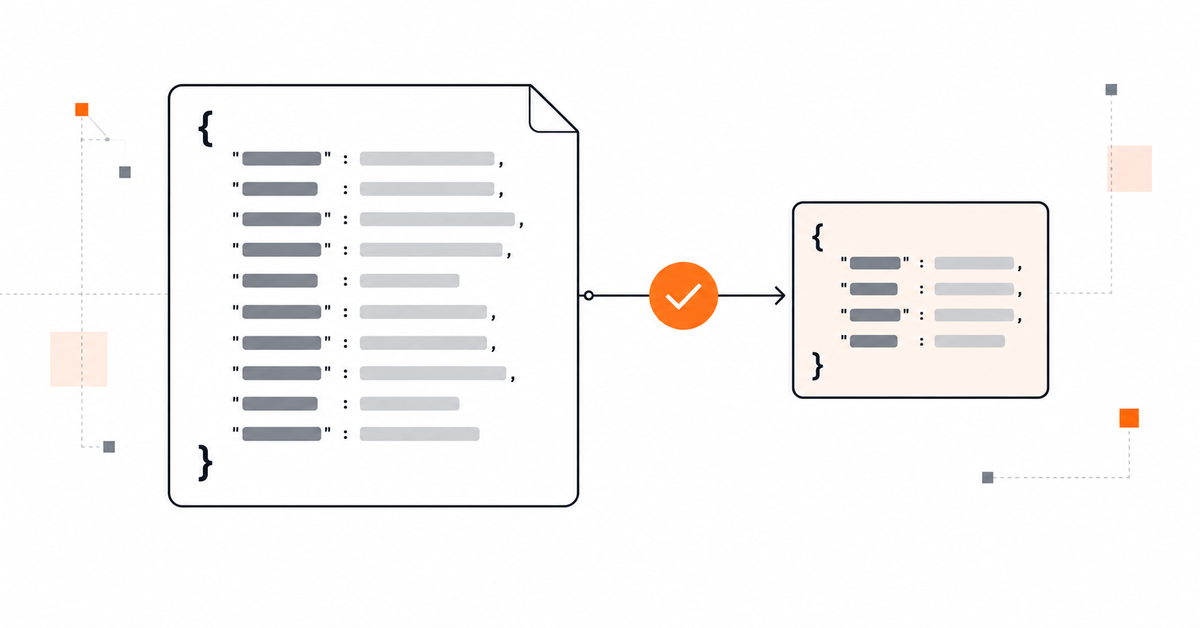
To get reliable JSON output from an LLM, use schema-constrained generation when your provider supports it, then validate the result in your application. A prompt that says “return only JSON” communicates the desired format, but prompt wording alone is not the same as enforcing a schema. OpenAI distinguishes JSON mode—which targets valid JSON—from Structured Outputs, which constrains supported responses to a supplied JSON Schema. Even with structured output, applications must account for refusals, incomplete responses, and other edge cases.
Decide what “valid JSON” means for your application#
There are several different guarantees, and they should not be treated as interchangeable:
- JSON syntax: the response can be parsed as JSON.
- Schema conformance: the parsed value has the required keys, types, and supported constraints.
- Business validity: values make sense for your product—for example, an ID exists or a date falls within an allowed range.
- Grounded content: values are supported by the input or trusted data source.
A response can pass one check and fail another. For example, {"priority":"urgent"} is valid JSON, but it will not conform to a schema that permits only low, normal, or high. A schema-valid object can still contain an unsupported factual claim if the schema does not encode that business rule.
Prefer structured-output features over prompt-only formatting#
Choose the strongest supported mechanism available in your model and API path.
| Method | What it helps enforce | What it does not establish by itself |
|---|---|---|
| Prompt instruction: “Return JSON only” | Communicates the requested format | Parseability or schema conformance |
| JSON mode, where available | Valid JSON in normal supported cases | Required keys, exact types, or a particular schema |
| Structured outputs with a supported JSON Schema | Conformance to the supported schema | Business rules, factual correctness, or successful completion in every edge case |
| Application validation | Checks explicitly implemented by the application | Truth of external facts unless checked against a trusted source |
OpenAI recommends Structured Outputs over JSON mode when supported. Its guide also documents schema limitations and edge cases such as refusals and incomplete output. Other providers expose their own structured-output or constrained-generation interfaces; check the current documentation for the exact model and API you use rather than assuming parameter names or schema support are interchangeable.
Define a small, explicit schema#
Start from the object your application actually needs. Keep property names clear, define types and enums where appropriate, mark required fields according to the provider’s supported schema rules, and disallow unexpected properties when the interface supports it.
For example, an issue-triage step might need a category, priority, and short explanation:
{
  "type": "object",
  "properties": {
    "category": {
      "type": "string",
      "enum": ["bug", "feature_request", "question"]
    },
    "priority": {
      "type": "string",
      "enum": ["low", "normal", "high"]
    },
    "summary": {
      "type": "string"
    }
  },
  "required": ["category", "priority", "summary"],
  "additionalProperties": false
}
This is a generic JSON Schema example, not a guarantee that every provider accepts every keyword or configuration exactly as shown. Check the supported subset for your API. For OpenAI Structured Outputs, objects must set additionalProperties: false, and the documented schema subset has other restrictions.
Avoid oversized schemas that mirror your entire database if the model needs only a few fields. Smaller response contracts are easier to inspect and test. If a field may be unknown, decide explicitly whether the schema should allow null, a controlled enum value such as unknown, or a separate error state.
Give the model task-specific instructions#
The schema defines shape; the prompt defines how to choose values. State the task, decision rules, and what to do when the input is insufficient.
Classify the issue described in the input.

- Choose category only from the allowed values in the response schema.
- Set priority using the supplied triage policy, not personal preference.
- Summarize only details present in the input.
- If the input lacks enough information to classify confidently, use the documented fallback behavior.
- Return the response using the configured structured-output schema.
Make the fallback explicit in the schema or surrounding application contract. Do not assume that adding “never make mistakes” or repeating “valid JSON only” substitutes for a well-defined decision policy.
Parse and validate at the application boundary#
Even when the provider offers constrained output, check that the response completed successfully and that the application received a value before using it. Then apply the checks appropriate to your workflow:
- Check the API response status and finish reason or equivalent completion metadata.
- Detect refusal states and incomplete or truncated output using the provider’s documented response fields.
- Parse the JSON if your SDK has not already parsed it.
- Validate business rules that are not captured by the generation schema.
- Verify references, identifiers, dates, and permissions against trusted application data when necessary.
- Reject, repair through a controlled path, or request a retry when validation fails; log the failure category without exposing secrets.
The following Python example demonstrates application-level validation for a workflow that receives JSON text. It is a generic example and does not call an LLM API.
# validate_output.py
import json
from typing import Any

ALLOWED_CATEGORIES = {"bug", "feature_request", "question"}
ALLOWED_PRIORITIES = {"low", "normal", "high"}
REQUIRED_KEYS = {"category", "priority", "summary"}


def validate_issue(raw: str) -> dict[str, Any]:
    value = json.loads(raw)  # Raises JSONDecodeError if syntax is invalid.

    if not isinstance(value, dict):
        raise ValueError("Expected a JSON object")
    if set(value) != REQUIRED_KEYS:
        raise ValueError("Unexpected or missing keys")
    if value["category"] not in ALLOWED_CATEGORIES:
        raise ValueError("Unsupported category")
    if value["priority"] not in ALLOWED_PRIORITIES:
        raise ValueError("Unsupported priority")
    if not isinstance(value["summary"], str) or not value["summary"].strip():
        raise ValueError("Summary must be a non-empty string")

    return value
This validator checks syntax, keys, a couple of enumerations, and a non-empty string. Production code should also consider maximum lengths, encoding, domain rules, exception handling, and whether values must be checked against external records. It does not verify whether the summary is factually grounded.
Handle failures deliberately#
Do not treat every unsuccessful response as “bad JSON.” Different failure modes need different handling.
- Invalid JSON: parsing fails. Capture a safe diagnostic and retry only if retrying is appropriate.
- Schema mismatch: the value parses but does not meet the contract. Use constrained generation if available; otherwise validate and handle the mismatch.
- Refusal: follow the provider’s documented refusal handling. Do not blindly retry in a way that attempts to bypass the refusal.
- Truncation or token limit: the response may be incomplete. Adjust the output budget or reduce the requested payload where appropriate.
- Business-rule failure: the JSON may be structurally valid but unacceptable to the application. Reject it or route it for review.
- Unsupported schema: the API may reject the request before generation. Simplify the schema to the supported subset and test it.
Retries should be bounded and observable. Avoid infinite retry loops, and do not silently convert an invalid response into a plausible-looking object with invented values.
Test the contract, not just a happy-path example#
Build a small evaluation set from realistic inputs and edge cases. Include missing fields, ambiguous descriptions, unexpected categories, long inputs, empty inputs, and cases where the model should abstain or signal insufficient information. Score separate outcomes:
- Did the response complete?
- Was it parseable?
- Did it conform to the schema?
- Did it satisfy business rules?
- Were the values supported by the input or trusted data?
- Did downstream code handle refusal and error states correctly?
Keep the prompt, schema, model identifier, API settings, and evaluation cases versioned together. Re-run the checks after changing any of them. Do not infer factual accuracy from a high JSON-validity rate; they measure different properties.
Common mistakes#
- Relying on “JSON only.” A prompt request is not schema enforcement.
- Confusing parseability with correctness. Valid JSON can contain the wrong value.
- Using unsupported schema features. Provider implementations may support only a subset of JSON Schema.
- Ignoring refusal and incomplete responses. Check the provider’s response metadata before consuming content.
- Leaving fallback behavior undefined. Decide how missing or uncertain information should be represented.
- Trusting model-generated identifiers. Validate them against application data and authorization rules.
- Retrying every error the same way. Classify failures and bound retries.
A practical decision rule#
If your provider and model support structured outputs for the response path you use, start there and define the smallest schema that fits your application. If they do not, ask for JSON explicitly, parse it, validate the schema and business rules yourself, and handle failure paths as part of the interface. In either case, treat the model response as untrusted input until it passes the checks your application requires.
References#
OpenAI, Structured Outputs — JSON mode, schema-constrained output, supported schemas, and edge cases.
Anthropic, Strict tool use — schema-constrained tool inputs and limitations.

Software Engineer and Researcher, writing about AI, developer tooling and automation.