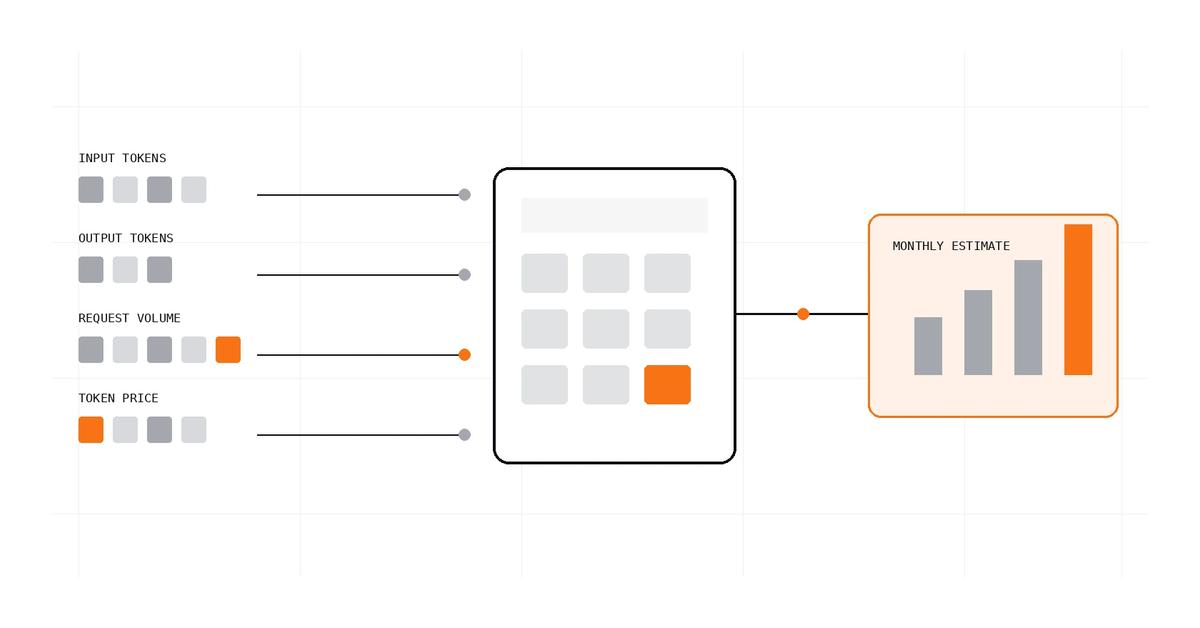
To estimate LLM API costs before launch, start with the price per million input and output tokens, estimate how many tokens each request uses, and multiply by expected request volume. Treat the result as a planning estimate, not a guaranteed invoice: real usage varies with prompt length, output length, caching, retries, model routing and separately billed tools.
The LLM API Cost Calculator applies those assumptions to estimate cost per request, day, month and year. The hard part is not the multiplication. It is choosing assumptions that resemble the workload you intend to ship.
1. Define the workload before entering prices#
Start with a specific product action, not a vague label such as “one AI request.” A support reply, a document summary and an agent that searches a knowledge base can have very different token and tool-use patterns.
For a first estimate, write down four inputs:
- Requests per period: the expected number of model requests per day or month. Make clear whether you mean user actions or actual model calls; one user action can trigger several calls.
- Input tokens per request: the system prompt, conversation history, retrieved passages, tool results and other content sent to the model.
- Output tokens per request: the generated response and, for reasoning models, any reasoning tokens that the provider bills as output.
- Price per million tokens: the selected model’s current input and output rates, using the same billing tier and modality as your workload.
Use observed traces from a prototype when you have them. Before that, define a low, expected and high scenario rather than treating a single guess as a forecast. Keep each assumption visible so it can be replaced with measured usage later.
If you need to estimate the token count of a particular prompt or context first, use a tokenizer appropriate to the model. Token counts are not reliably interchangeable across model families, and text length alone is only a rough proxy.
2. Use the per-million-token formula#
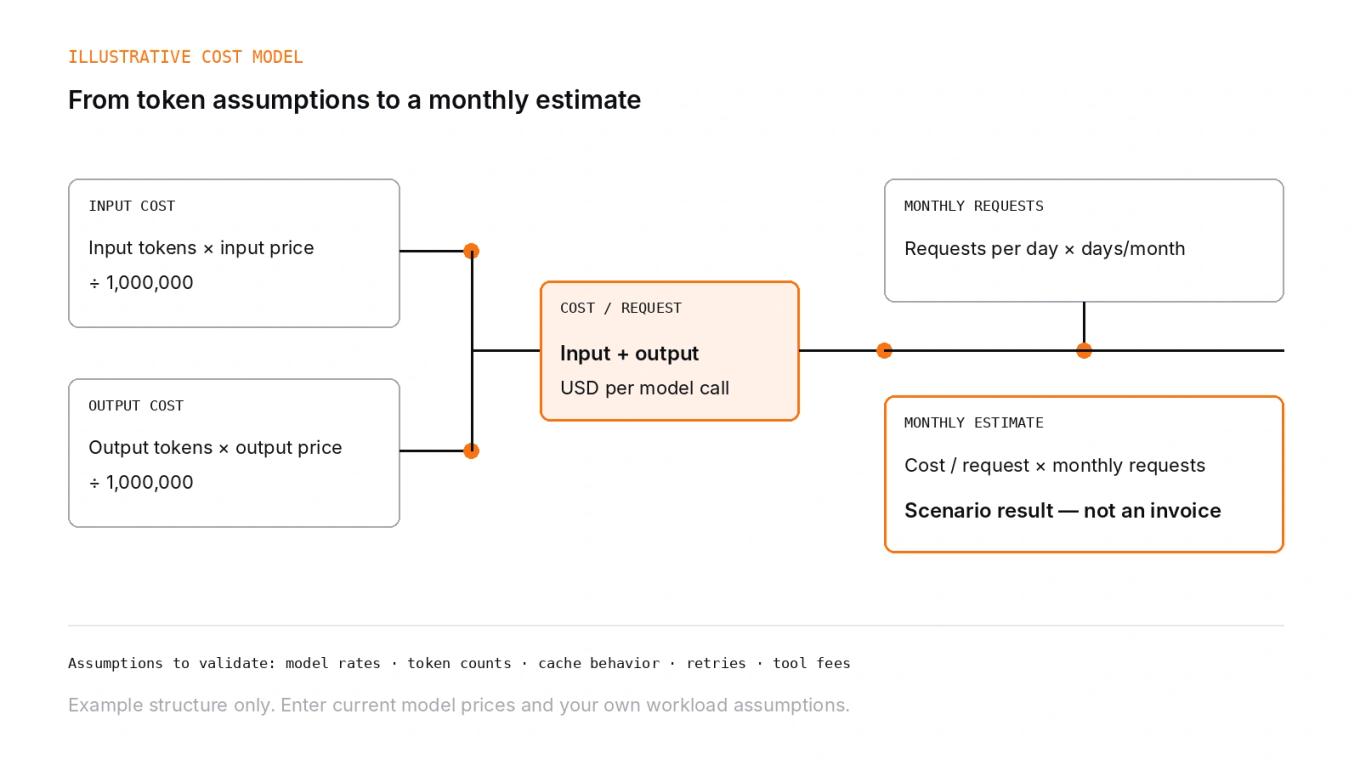
When a provider quotes text input and output prices per million tokens, calculate the two components separately:
Use these formulas (prices are in USD per million tokens):
C_input = T_input × P_input / 1,000,000C_output = T_output × P_output / 1,000,000C_request = C_input + C_output
Here, each T is the token count for one request, and each P is the price in USD per million tokens. Multiply the per-request estimate by the number of model requests in the period to estimate total inference charges for that period.
The unit matters. A price entered as dollars per million tokens must be divided by one million; a price quoted per thousand tokens, per image, per audio unit or per request needs a different calculation. Confirm the unit on the provider’s pricing page before copying a rate into the calculator.
3. Work through an illustrative monthly estimate#
Suppose a hypothetical application makes 5,000 model requests each day. Assume each request uses 1,200 input tokens and generates 350 output tokens. For illustration only, enter an input price of $2.00 per million tokens and an output price of $8.00 per million tokens. These are example inputs, not current prices for any provider or model.
The request-level arithmetic is:
- Input: 1,200 × $2.00 ÷ 1,000,000 = $0.0024
- Output: 350 × $8.00 ÷ 1,000,000 = $0.0028
- Total: $0.0024 + $0.0028 = $0.0052 per request
At 5,000 requests per day, that is $26.00 per day. With 30 days in the planning month, the estimate is $780 per month, or $9,360 for twelve months if the same usage and prices persisted. The monthly token volume is 232.5 million tokens across input and output.
This example deliberately holds request volume, token counts and prices constant. It does not account for growth, day-to-day variation, caching, failed requests, tool fees or discounts. The annual figure is a straight multiplication of the monthly scenario, not a claim about future spend.
4. Model cached input separately when the price is known#
If a provider charges a different rate for cached input tokens, the cost of those tokens depends on how much input is eligible for cache reads and how often the cache is hit. A simplified estimate is:
C_input = T_input × [(1 − h) × P_input + h × P_cached] / 1,000,000
Here, h is the cache-hit fraction from 0 to 1, and P_cached is the price for cached input tokens. A 30% cache-hit rate is entered as 30 in the calculator’s percentage field.
This is a simplified model, not a universal cache-billing formula. Provider rules can distinguish cache writes from reads, impose minimum cacheable prompt lengths or durations, and charge for cache storage. The calculator’s single cached-input price and hit-rate field does not model all those details. If writes or storage are material, estimate them separately and add them to the scenario.
Do not assume that all repeated text is automatically billed at the cached rate. Check the provider’s caching documentation and the API behavior for the model you use.
5. Check the provider’s current pricing rules#
Use official pricing documentation to obtain rates for the exact model and service tier. The three major providers document different pricing details, so avoid copying one provider’s cache or tool assumptions into another provider’s estimate.
- OpenAI API pricing lists model-specific input and output prices and separate cached-input and cache-write rates for supported models.
- Anthropic Claude pricing documents input/output pricing and prompt-cache read and write multipliers, including different cache durations.
- Google Gemini API pricing distinguishes model/service tiers, documents context caching and separately priced tools, and notes that agent usage can include intermediate input or reasoning tokens.
These pages are references for current provider rules, not fixed values embedded in this article. Prices and model availability change. Before budgeting, check the page for your chosen model, API, modality, service tier, region or other applicable pricing modifier. Record the date and assumptions alongside any estimate you intend to compare later.
6. Turn one estimate into a useful forecast#
A single scenario is a starting point. A budget becomes more useful when it makes uncertainty visible.
Use low, expected and high cases#
Vary the inputs that actually drive your workload. For example, you can model fewer or more requests, shorter or longer prompts, and lower or higher output lengths. Do not label these cases “typical” unless you have measurements supporting that claim.
If request volume is uncertain, forecast it separately from cost per request. If token usage is uncertain, keep input and output estimates separate. This makes it easier to see whether the budget is sensitive to traffic, long context or generated output.
Measure actual traces when a prototype exists#
Capture token usage returned by the API, along with the model, request type and relevant cache or tool metadata. Use a representative sample of real product tasks. Compare the observed distribution—not only the average—with your planning assumptions. Long-tail prompts and unusually large outputs can matter even when most requests are small.
Update the estimate when you change the system prompt, retrieval strategy, model, output limit, routing policy or agent loop. These changes can alter token use without changing the number of user-visible actions.
Separate user actions from model calls#
For a simple chat turn, one user action may correspond to one model call. In a workflow, the same action may lead to a planning call, a tool-selection call, one or more follow-up calls and a final response. Estimate each call class separately when you know the workflow. Do not multiply every user action by an assumed fixed number of calls without checking traces or explicitly labelling the assumption.
The calculator models an average request and a request count. It does not model a workflow graph, retries or tool fees as separate line items. For a multi-step agent, calculate each step or call class independently, then sum the results and add separately billed components.
7. Know what the estimate excludes#
A token-based estimate is not the same as the full cost of operating an AI feature. Depending on the provider and architecture, a first-pass estimate may exclude:
- tool calls, search grounding, code execution or other separately billed services;
- cache writes, cache storage or other cache-specific charges not represented by one cached-input rate;
- image, audio, video or other non-text billing units;
- batch, priority, committed-use or other service-tier adjustments;
- retries, failed requests, validation calls or secondary model calls;
- hosting, databases, retrieval infrastructure, logging, observability, evaluation and human review.
The calculator does not automatically fetch provider rates. It uses the prices and workload assumptions entered by the user, runs in the browser, and does not send those inputs elsewhere. Its results are an estimate of the token charges represented by those fields—not a complete invoice, total product cost or guarantee of future spend.
8. A pre-launch checklist#
Before using an estimate to set a budget, verify these items:
- The input and output rates match the exact model, API and service tier.
- All rates use the units entered into the calculator: USD per million tokens.
- Input tokens include the system prompt, relevant history, retrieved context and other content sent to the model.
- Output tokens include any reasoning tokens that the provider bills as output.
- Requests per day or month represent model calls, or the difference between user actions and model calls is modelled explicitly.
- Cache assumptions reflect the provider’s rules, and unmodelled writes or storage are added separately if relevant.
- Tool charges, retries and non-text usage are included separately where applicable.
- The forecast includes more than one scenario if workload uncertainty is material.
- The assumptions are dated and can be updated when pricing or product behavior changes.
The practical goal is not to predict an exact future invoice. It is to build a transparent estimate, understand which assumptions dominate it, and replace guesses with observed usage as the application matures.
References#
- OpenAI API pricing — OpenAI
- Pricing — Claude Platform Docs, Anthropic
- Gemini API pricing — Google AI for Developers

Software Engineer and Researcher, writing about AI, developer tooling and automation.