


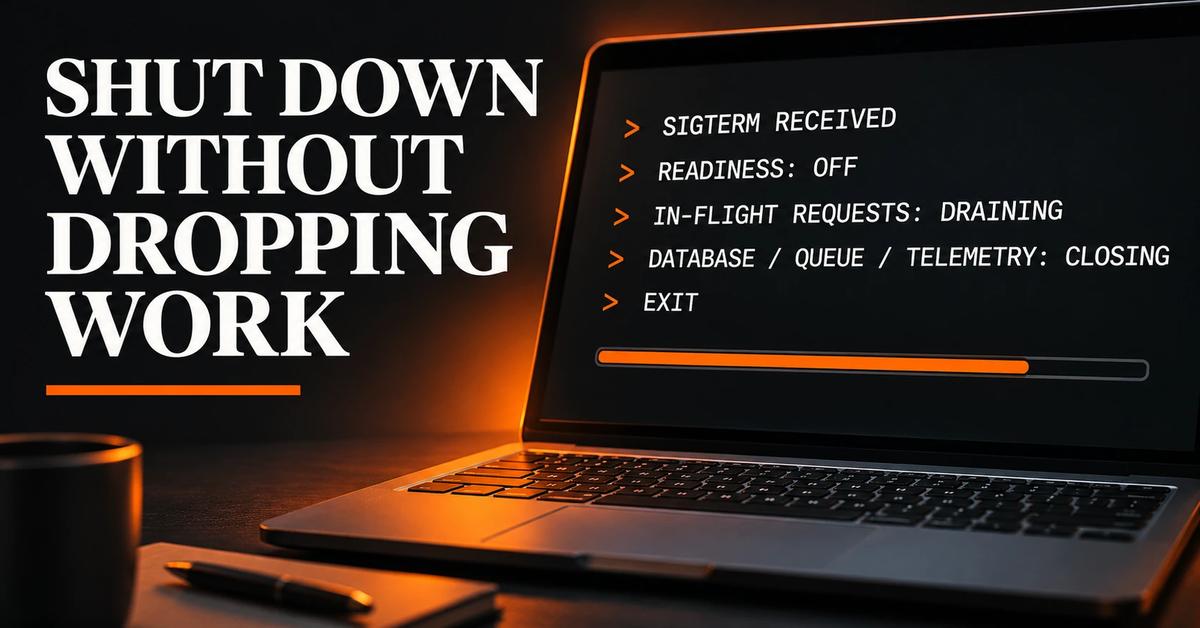
A Node.js process can receive SIGTERM while it is still handling an HTTP request, running a queue job, or holding database connections. If the process exits before those operations finish, users see interrupted requests, workers leave jobs in an uncertain state, and telemetry may miss the final events.
Node.js graceful shutdown is not just `server.close()`. It is a bounded sequence: mark the instance unready, stop accepting new HTTP and background work, let in-flight work finish, close dependencies, flush telemetry, and exit before the platform's termination deadline. This guide implements that sequence with plain JavaScript on Node.js 22. The database, queue, and telemetry adapters are deliberately generic because their close methods differ by library.
TL;DR: the shutdown order#
- Receive
SIGTERMand make shutdown idempotent. - Change readiness to unhealthy so the platform can stop routing new traffic.
- Allow a short propagation interval, then stop accepting HTTP connections.
- Stop queue consumption and wait for active requests and jobs, but only until a deadline.
- Close the database pool, queue connection, and telemetry exporter.
- Set the exit code and let Node.js exit naturally. Keep a hard-stop timer as the final safety net.
The process must finish inside the grace period configured by its runtime platform. That value is not a universal Node.js setting and can be changed by the platform or deployment configuration.
What happens when a platform stops a process#
A container orchestrator or hosting platform generally gives an application an opportunity to stop before forcibly terminating it. In Kubernetes, for example, the kubelet normally sends a termination signal to the container's main process and waits for the configured Pod termination grace period. If processes remain when that period expires, the runtime sends SIGKILL during Pod termination.
Treat that as a deadline, not a promise that every request will be allowed to finish. The exact sequence, grace period, routing behavior, and any pre-stop hook depend on the platform and its configuration. Grace periods are configurable; check the deployment settings for the service you actually run. Do not build around an assumed default.
On POSIX-like systems, Node.js exposes signal events through process. When a process installs a SIGTERM listener, it takes responsibility for what happens next: Node's default signal-exit behavior is replaced by the listener. See the Node.js 22 process signal documentation.
The six-stage shutdown sequence#
1. Receive SIGTERM once#
Install signal handlers during application startup, not after the first request. Make shutdown idempotent: a repeated call should not start a second cleanup routine. A second termination signal can reasonably be treated as an instruction to stop waiting and force exit, because the original grace period is already at risk.
Do not call process.exit() immediately on the first signal. It terminates the process synchronously and can cut off pending work and output. Set process.exitCode when needed, finish cleanup, and allow the event loop to drain.
2. Fail readiness before closing the listener#
A readiness endpoint answers a different question from liveness. Liveness asks whether the process should be restarted; readiness asks whether it should receive new traffic. When shutdown begins, make readiness return a failure status while the process is still alive.
This step gives a load balancer or orchestrator time to observe the change. It is not instantaneous, so keep the application able to reject new business requests during the propagation interval. A dedicated management listener can make the health endpoint independent of the public listener; the example keeps it on the same server for simplicity.
Do not use liveness as the shutdown switch. Turning liveness unhealthy can trigger a restart while the process is trying to drain.
3. Stop accepting new HTTP connections#
Call server.close() after readiness has changed. It stops the HTTP server from accepting new connections and waits for connections that are still handling requests to finish. On Node.js 19 and later, server.close() also closes idle keep-alive connections; Node.js 22 includes that behavior. The HTTP API documentation records this version change.
This is the boundary between draining and admitting work. A request that reaches the application after shutdown has started should receive a controlled response, not start a new expensive operation.
4. Drain in-flight requests and jobs within a deadline#
Stopping the HTTP listener does not finish work that has already started. Track active requests or use a framework's documented drain hook. For background processing, stop fetching new jobs first, then wait for the currently executing jobs to complete.
The deadline matters more than the ideal drain. A request that never resolves must not hold the process forever. Reserve time for closing connections and flushing telemetry; do not spend the entire platform grace period waiting for application work. At the hard deadline, remaining connections may have to be destroyed and unfinished jobs must be safe to retry.
Queue semantics are especially important. A consumer should acknowledge a job only after its work is committed, and a job interrupted before acknowledgement should be safe for redelivery. The exact guarantee depends on the queue system and acknowledgement model; graceful shutdown cannot make a non-idempotent job safe by itself.
5. Close dependencies in order#
After request and job work has drained, close resources that those operations depend on:
- Database pool: stop new queries before closing the pool. Do not close it while an active request or job may still need it.
- Queue consumer: finish the drain and close its connection or client after no more work is being processed.
- Telemetry: flush buffered logs, traces, and metrics, then close the exporter. Keep telemetry late in the sequence so it can record cleanup failures.
If a dependency close fails, record the error and set a non-zero exit code. Decide whether later cleanup should continue; in most services, one failed close should not prevent attempts to close the remaining resources.
6. Exit before the platform does it for you#
When cleanup finishes, clear the hard-stop timer and let Node.js exit naturally. If the process remains alive, look for open handles: timers, sockets, database clients, queue consumers, workers, or telemetry exporters.
The hard-stop timer is not normal control flow. It is the last guard against a process that cannot complete in time. If it fires, log the timeout, destroy remaining HTTP connections, and exit non-zero. That outcome means the drain did not complete; alert on it rather than treating it as a successful shutdown.
Runnable example: plain HTTP, resource adapters, and a deadline#
The following is a single-file demonstration for Node.js 22. It uses only built-in modules. The database pool, queue consumer, and telemetry objects are runnable stand-ins with generic close/drain methods—not real database or queue clients. Replace those adapter bodies with the documented methods from the libraries you use, while preserving the lifecycle contract.
Save as server.js:
'use strict';

const http = require('node:http');

const PORT = Number(process.env.PORT ?? 3000);
const READINESS_PROPAGATION_MS = 1_000;
const SHUTDOWN_DEADLINE_MS = 25_000;

let shuttingDown = false;
let shutdownPromise;
const inFlightResponses = new Set();

const log = {
  info: (message) => console.log(`[info] ${message}`),
  error: (message) => console.error(`[error] ${message}`),
};

// Runnable stand-ins. Replace these with your actual resource adapters.
const dbPool = {
  async close() {
    log.info('database pool closed');
  },
};

const queueConsumer = {
  async stopAccepting() {
    log.info('queue stopped accepting new jobs');
  },
  async drain() {
    log.info('queue jobs drained');
  },
  async close() {
    log.info('queue connection closed');
  },
};

const telemetry = {
  async flushAndClose() {
    log.info('telemetry flushed and closed');
  },
};

const delay = (ms) => new Promise((resolve) => setTimeout(resolve, ms));

const server = http.createServer();

// Register tracking before the application handler can finish a response.
server.on('request', (_req, res) => {
  inFlightResponses.add(res);
  let completed = false;
  const finish = () => {
    if (completed) return;
    completed = true;
    inFlightResponses.delete(res);
  };
  res.once('finish', finish);
  res.once('close', finish);
});

server.on('request', async (req, res) => {
  if (req.url === '/readyz') {
    res.writeHead(shuttingDown ? 503 : 200, {
      'content-type': 'application/json',
      'connection': shuttingDown ? 'close' : 'keep-alive',
    });
    res.end(JSON.stringify({ ready: !shuttingDown }));
    return;
  }

  if (shuttingDown) {
    res.writeHead(503, { 'connection': 'close' });
    res.end('Server is shutting down');
    return;
  }

  if (req.url === '/slow') {
    await delay(8_000);
    res.writeHead(200, { 'content-type': 'text/plain' });
    res.end('Slow request completed');
    return;
  }

  res.writeHead(200, { 'content-type': 'text/plain' });
  res.end('OK');
});

function waitForRequestsToFinish() {
  return new Promise((resolve) => {
    const check = () => {
      if (inFlightResponses.size === 0) return resolve();
      setTimeout(check, 25);
    };
    check();
  });
}

function closeHttpServer() {
  return new Promise((resolve, reject) => {
    server.close((error) => (error ? reject(error) : resolve()));
  });
}

async function shutdown(signal) {
  if (shutdownPromise) {
    log.error(`received ${signal} again; forcing exit`);
    server.closeAllConnections();
    process.exit(1);
  }

  shuttingDown = true;
  process.exitCode = 0;
  log.info(`received ${signal}; readiness is now false`);

  const hardStop = setTimeout(() => {
    log.error('shutdown deadline exceeded; destroying remaining HTTP connections');
    server.closeAllConnections();
    process.exit(1);
  }, SHUTDOWN_DEADLINE_MS);

  shutdownPromise = (async () => {
    try {
      // Stop queue intake immediately; let readiness changes propagate before
      // closing the public HTTP listener.
      const queueStopped = queueConsumer.stopAccepting();
      await delay(READINESS_PROPAGATION_MS);

      const httpClosed = closeHttpServer();
      log.info('HTTP server stopped accepting new connections');

      await queueStopped;
      await Promise.all([
        httpClosed,
        waitForRequestsToFinish(),
        queueConsumer.drain(),
      ]);
      log.info('in-flight HTTP requests and queue jobs drained');

      await dbPool.close();
      await queueConsumer.close();
      await telemetry.flushAndClose();
      log.info('shutdown completed');
    } catch (error) {
      process.exitCode = 1;
      log.error(`shutdown failed: ${error.stack ?? error}`);
      server.closeAllConnections();

      // Best-effort cleanup: one failed close should not skip the others.
      const results = await Promise.allSettled([
        dbPool.close(),
        queueConsumer.close(),
        telemetry.flushAndClose(),
      ]);
      results.forEach((result) => {
        if (result.status === 'rejected') {
          log.error(`cleanup failed: ${result.reason}`);
        }
      });
    } finally {
      clearTimeout(hardStop);
    }
  })();

  await shutdownPromise;
}

process.on('SIGTERM', () => void shutdown('SIGTERM'));
process.on('SIGINT', () => void shutdown('SIGINT'));

// An uncaught exception leaves application state unknown. Log synchronously
// and terminate; let the process supervisor restart a fresh instance.
process.on('uncaughtException', (error) => {
  process.stderr.write(`[fatal] uncaught exception: ${error.stack ?? error}\n`);
  process.exit(1);
});

server.listen(PORT, () => {
  log.info(`server listening on http://localhost:${PORT}`);
});
Run it:
node server.js
The example's READINESS_PROPAGATION_MS and SHUTDOWN_DEADLINE_MS are illustrative values, not platform defaults. Set the hard deadline comfortably below the actual termination grace period configured for your deployment. The remaining time is needed for the platform's own shutdown work and any safety margin your service requires.
Connect real resources without coupling the lifecycle to a library#
Keep the shutdown coordinator dependent on a small application-owned interface. For example, your database adapter needs one operation that prevents new queries and closes the pool after active work finishes; your queue adapter needs one operation to stop fetching, one to drain active jobs, and one to close its connection. Map those operations to the exact driver or queue library in your application.
Do not copy method names from this example into an arbitrary client. A pool might expose end, a queue client might separate consumer cancellation from connection closure, and a telemetry SDK might have a bounded flush method. Follow the versioned documentation for each dependency and define what happens when its close operation rejects or times out.
Keep-alive connections: why server.close() can appear to hang#
HTTP keep-alive allows a client to reuse a TCP connection for more than one request. A server can have no active handler while a socket remains open and idle. On Node.js 22, server.close() closes idle connections as part of its behavior, but it still waits for connections with active requests to finish. That is why a long-running request can keep the close callback pending.
Do not use server.closeAllConnections() as the first step: it is forceful and can terminate active responses. Node documents it as a way to close established HTTP(S) connections, and notes that upgraded protocols such as WebSocket are not covered. Use it only at the hard deadline, and separately track or close upgraded sockets if your application supports WebSockets or other upgrades. See the Node.js HTTP server methods.
If server.close() never completes, inspect active requests, streaming responses, upgraded sockets, and handlers that do not finish. Also check whether a framework or reverse proxy owns the listener and provides its own shutdown API. Avoid stacking framework-level and raw-server shutdown calls without knowing which layer controls the socket.
Test it locally with a slow request#
Start the server in one terminal:
node server.js
In a second terminal, start a request that takes eight seconds:
curl -i http://localhost:3000/slow
Before the request finishes, send SIGTERM to the server process from the first terminal (press Ctrl+C to send SIGINT, or use kill -TERM <pid> from another shell). The slow request should complete with HTTP 200 if it finishes before the shutdown deadline. A new request should receive HTTP 503 while the process is draining, and /readyz should report 503 until the listener closes.
Expected log shape (the exact timing depends on when you send the signal):
[info] server listening on http://localhost:3000
[info] received SIGTERM; readiness is now false
[info] queue stopped accepting new jobs
[info] HTTP server stopped accepting new connections
[info] queue jobs drained
[info] in-flight HTTP requests and queue jobs drained
[info] database pool closed
[info] queue connection closed
[info] telemetry flushed and closed
[info] shutdown completed
The example was executed locally with Node.js v22.16.0: a curl request to /slow was started, SIGTERM was sent about one second later, the request completed with HTTP 200, and the process exited with status 0 after cleanup. The stand-in queue and resource adapters complete immediately, so this run validates the HTTP drain and shutdown ordering—not any real database or queue driver's behavior. In a real application, add integration tests that hold both a request and a queue job open, trigger shutdown, and assert that work completes before the deadline.
Common shutdown mistakes#
- Closing only the HTTP server. Database pools, queue consumers, telemetry exporters, workers, and custom timers can keep the process alive or lose work. Maintain an explicit inventory of long-lived resources.
- Failing readiness and immediately closing the listener. Routing systems need time to observe readiness changes. Use a bounded propagation interval or a separate health listener, and reject new business work during that interval.
- Waiting forever. Every drain and close operation needs a timeout that fits inside the platform's grace period. A hung request must not block termination indefinitely.
- Treating the second signal like the first. Do not launch cleanup twice. Escalate a repeated signal to a controlled force exit and emit a clear log.
- Exiting before logs flush. Prefer
process.exitCodeand natural event-loop completion. Keep telemetry flush late in the sequence. Reserve immediateprocess.exit()for fatal or hard-deadline paths where the process cannot safely continue. - Continuing after an uncaught exception. The process may be in an inconsistent state. Log the fatal error and terminate so the supervisor can replace the process; do not assume graceful cleanup can make corrupted application state safe.
- Assuming every queue job is safe to interrupt. Use the queue's documented cancellation and acknowledgement model, and design jobs to tolerate retries or duplicate delivery where the system can redeliver them.
What to do next#
Add shutdown behavior to your service's operational checklist, then test it under the same process model and termination configuration used in deployment. Include HTTP requests, queue jobs, database activity, telemetry, and any upgraded connections in the test plan.
Use the Node.js Production-Readiness Checklist to review the wider service lifecycle, reliability, and deployment concerns. For this shutdown path, the acceptance condition is concrete: new work stops, accepted work gets a bounded chance to finish, dependencies close in order, and the process exits before the platform's deadline.
References#
- Process: Signal events — Node.js v22.23.2 documentation
- HTTP: `server.close()` and connection management — Node.js v22.23.2 documentation
- Pod lifecycle and termination — Kubernetes documentation
- Node.js releases and support status

Software Engineer and Researcher, writing about AI, developer tooling and automation.